MacPaw Moonlock for iPhone Adds Scam Checks, SMS Filtering and Security Score
An iPhone security app shaped by iOS limits
MacPaw’s Moonlock app is moving from Mac to iPhone with a focus on scam detection and guided security checks. The shift matters because an iPhone security app can’t simply copy the familiar desktop antivirus model. iOS restricts third-party apps from scanning other apps and their files, so Moonlock’s iPhone release takes a different approach: it helps users assess suspicious content and review their device’s security settings.
That constraint defines the product. Moonlock isn’t presented as a tool that continuously searches an iPhone for malicious software; instead, it puts the user in the middle of the process, asking them to submit questionable content or follow a recommended check. This is a more limited promise, but it’s also more consistent with what the app can do on Apple’s mobile platform.
Here’s the thing: the value of a security app often depends less on how many checks it lists than on whether people understand and act on them. Moonlock’s emphasis on explanation and guided steps addresses that practical problem. It can help a user pause before tapping, though it can’t make every judgment on their behalf.
Scam checks built around everyday iPhone use
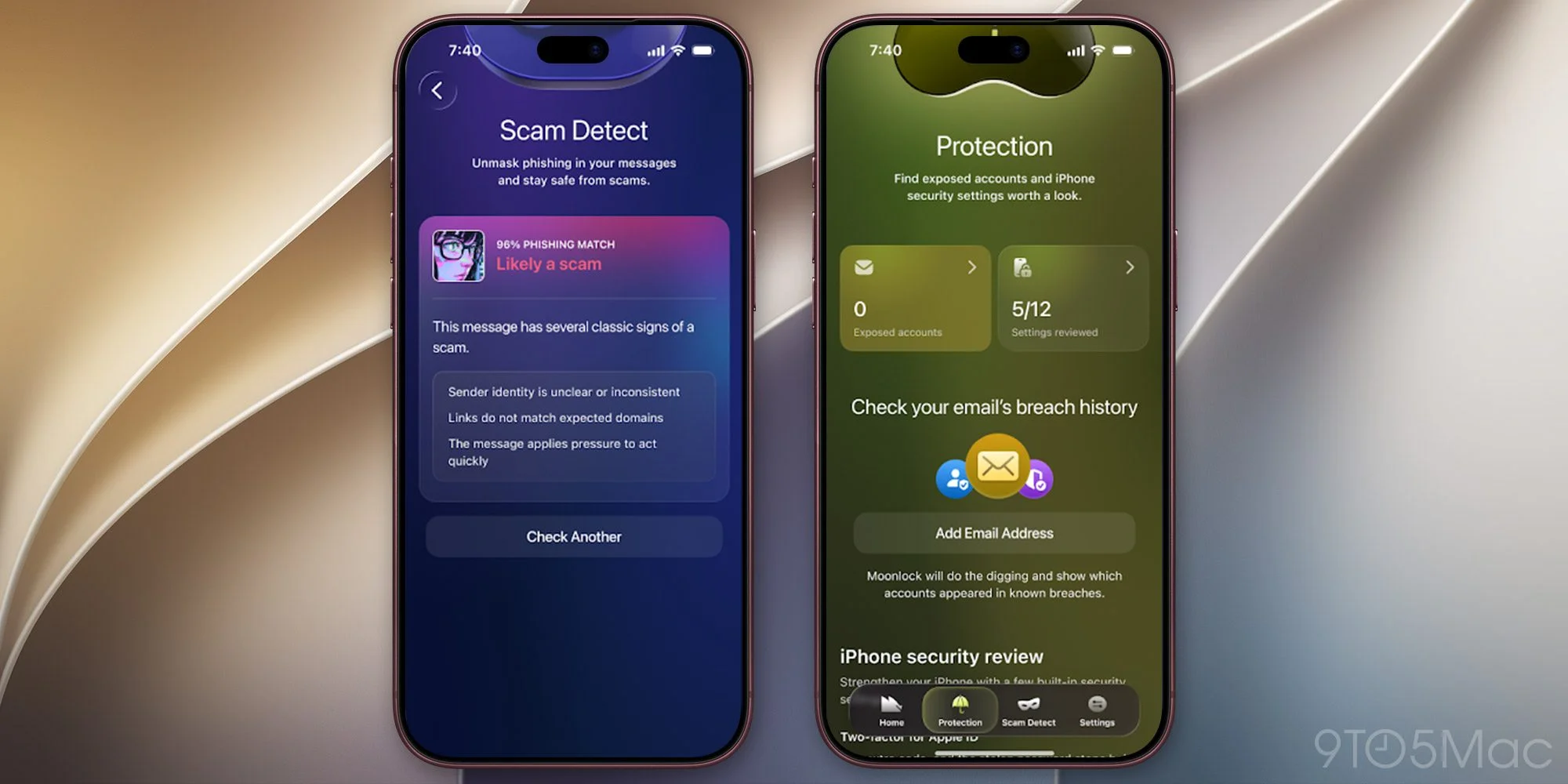
Moonlock can assess suspicious text messages, screenshots and QR codes. Users can paste content, scan it or share it with the app; Scam Detect then explains what may make it suspicious. That gives users a way to check a message before following a link or responding, when a quick interruption can be more useful than a general warning about online scams.
The range of inputs reflects how suspicious messages arrive on a phone: as text, images or codes that lead somewhere the user can’t easily assess in advance. The app’s explanation is part of the feature, not just a verdict. If you’re working in this space, that distinction matters: a useful warning should help someone recognize the signal in the message, so they can apply the same caution to the next one.
It’s still an assessment, not a guarantee that every threat will be identified. The source doesn’t specify how Scam Detect reaches its conclusions or how often its results are updated, so users shouldn’t treat a reassuring result as proof that a message is safe. A second look. That’s the habit the feature is best positioned to support.
The app also checks whether an email address appears in known data breaches. Its Email Breach History feature identifies the affected service, when the exposure occurred and what information was exposed, then provides steps for securing the related account.
This feature gives breach information a practical next step. A notice that an address appeared in an exposure can be hard to act on if it doesn’t identify the service or the type of information involved. Moonlock’s account-specific guidance may make the finding easier to interpret, though the available description doesn’t say which breach records it checks or how complete that information is.
Safe SMS can filter suspected scam messages out of the inbox when enabled. Moonlock keeps a record of what it caught and why, giving users a way to review the filtered texts. That review path is useful because filtering can make messages less visible, while a record lets the user understand why a text was set aside and check whether the app’s judgment makes sense.
Security guidance, one action at a time
A Security Score from 0 to 100 reflects the iPhone’s security setup. Rather than presenting a long list of changes at once, Moonlock recommends one action at a time. The score offers a compact snapshot, but the more actionable part is the next step: a number alone can suggest precision without telling users which setting deserves attention.
Device and Network Checks cover Wi-Fi safety, passcode protection, iOS updates and signs of jailbreaking. A checklist offers one-time fixes with step-by-step instructions and an estimate of how long each change should take. The time estimate is a small product detail with a clear purpose: it gives users a sense of the effort involved before they begin, rather than leaving every recommendation as an open-ended task.
That guidance is the clearest distinction from MacPaw’s Mac app, which includes real-time threat protection and manual malware scans, as well as a VPN, network inspector and tools for reviewing macOS security settings. The iPhone version concentrates on user-facing checks that fit within iOS’s app access limits. The two versions share a security focus, but their described capabilities differ because the platforms give apps different access.
This is more significant than it looks. A checklist can’t replace active threat protection, and a score can’t guarantee that a device is secure. But a guided review can make routine protections easier to understand and complete, especially for users who’d otherwise leave settings untouched because they’re unsure what to change.
Availability, pricing and the habit question
MacPaw says the iPhone app is intended to help people spot scams, understand their device security and take practical steps to improve it. “We want to help people spot a scam before they tap, see where their security stands, and know exactly what to do next,” said Oleg Stukalenko, Moonlock’s Head of Product Management.
The statement describes a straightforward goal: move from warning to action. That’s a sensible focus for an app whose role is to guide users through checks they can perform themselves. The harder test is whether those checks become part of ordinary phone use, rather than something people open only after a suspicious message has already caused concern.
Moonlock for iPhone is available on the App Store as a free download. Optional subscriptions cost $9.99 per month or $49.99 per year. Its practical value will depend on whether users make scam checks and the app’s security recommendations part of their regular iPhone habits. That said, the app’s focus is clear: explain suspicious content, surface account exposure and turn device checks into manageable tasks. Whether that earns a place in users’ routines is the question the product description can’t answer.