HomeView's Ambient Dark Mode Deserves a Place on iPhone and Mac
Apple's first display built for the smart home
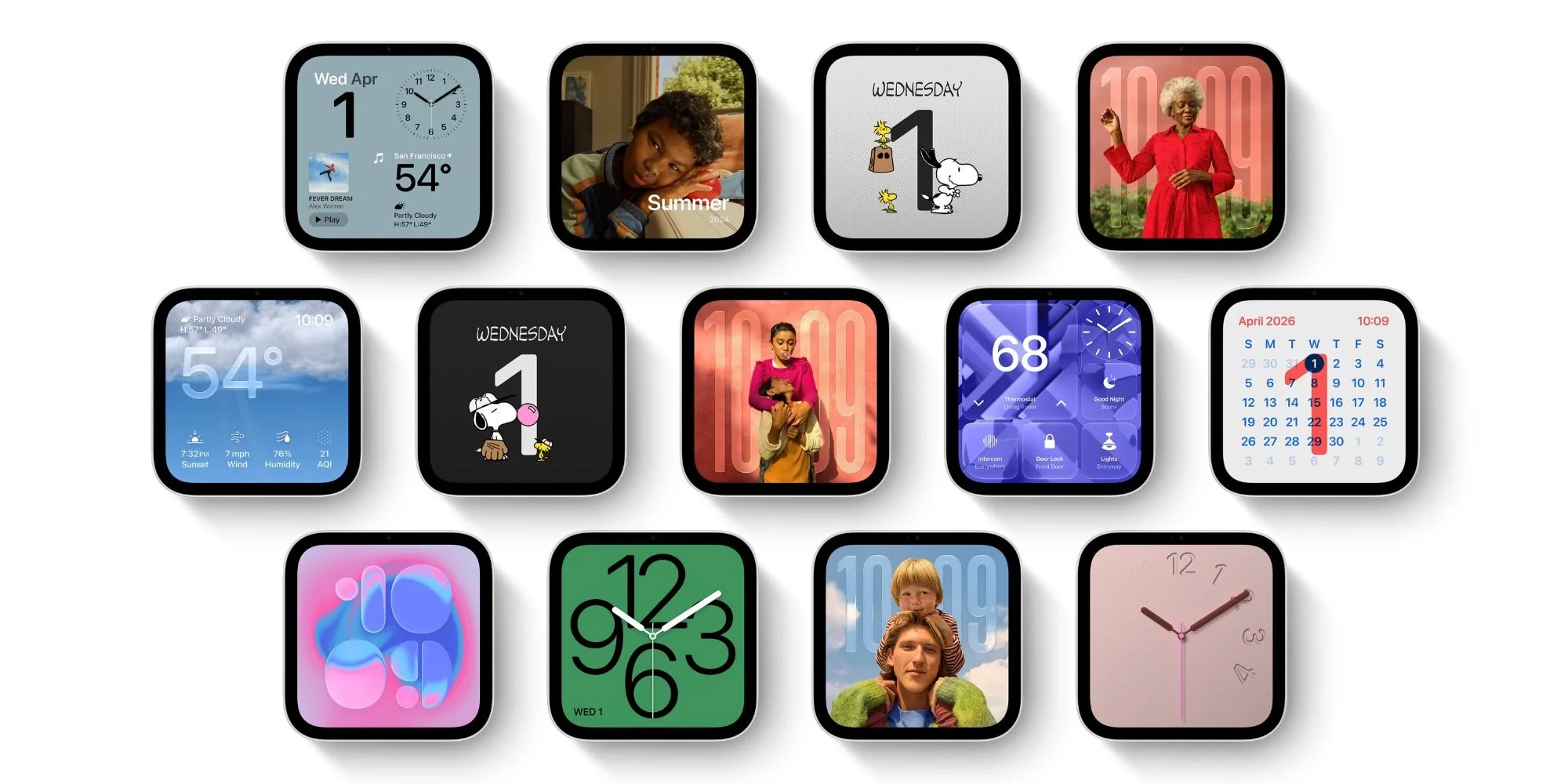
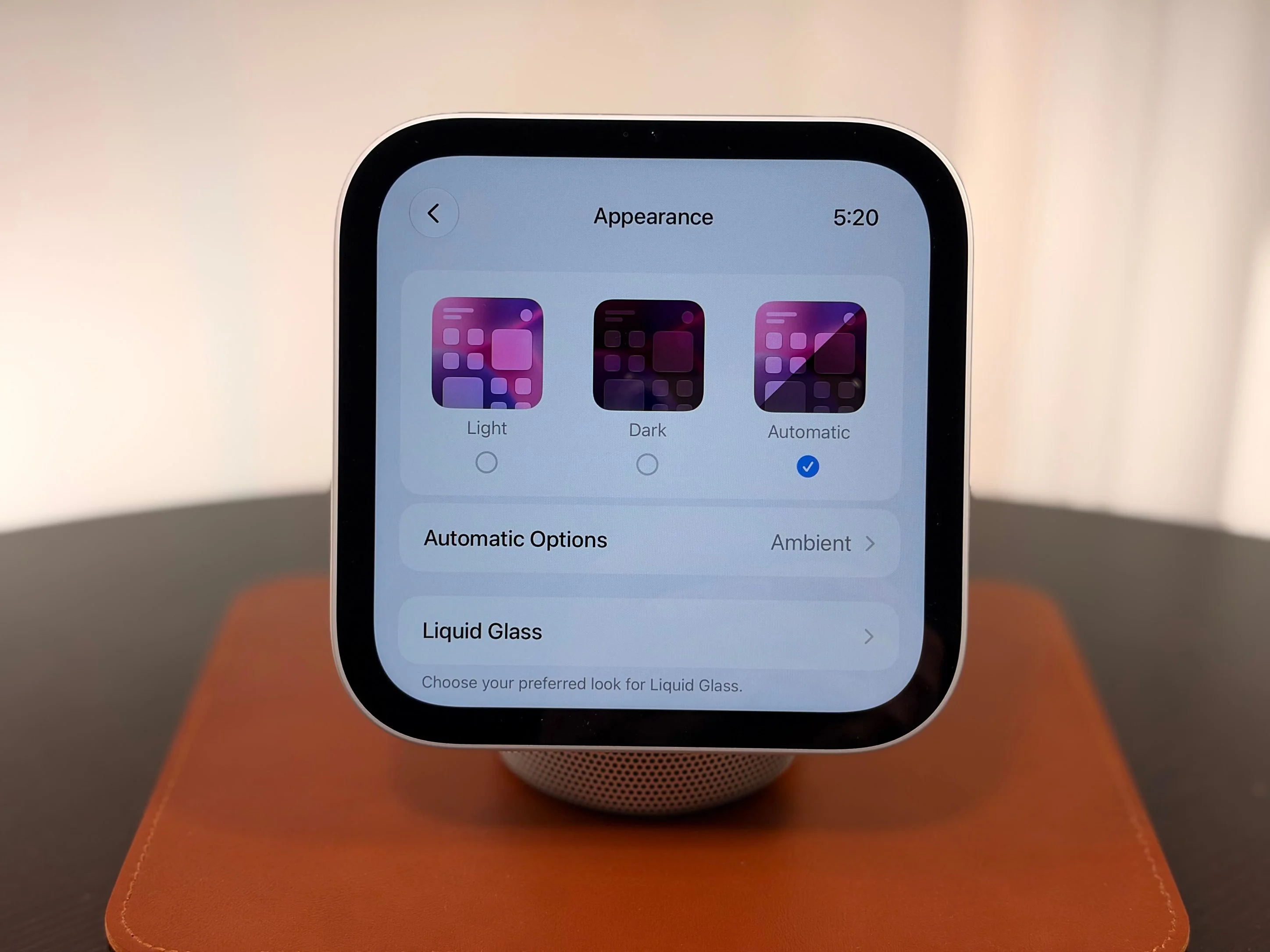
Apple has started shipping HomeView, its first display built for the smart home. That's a real category move for a company that has mostly sold screens you carry around or set on a desk. The hardware pitch is the obvious story, though. The detail I keep coming back to is a small line in the display settings: ambient dark mode. It's a modest feature, but it points at a bigger question about how Apple thinks about the interfaces we stare at all day.
The dark mode options you already have
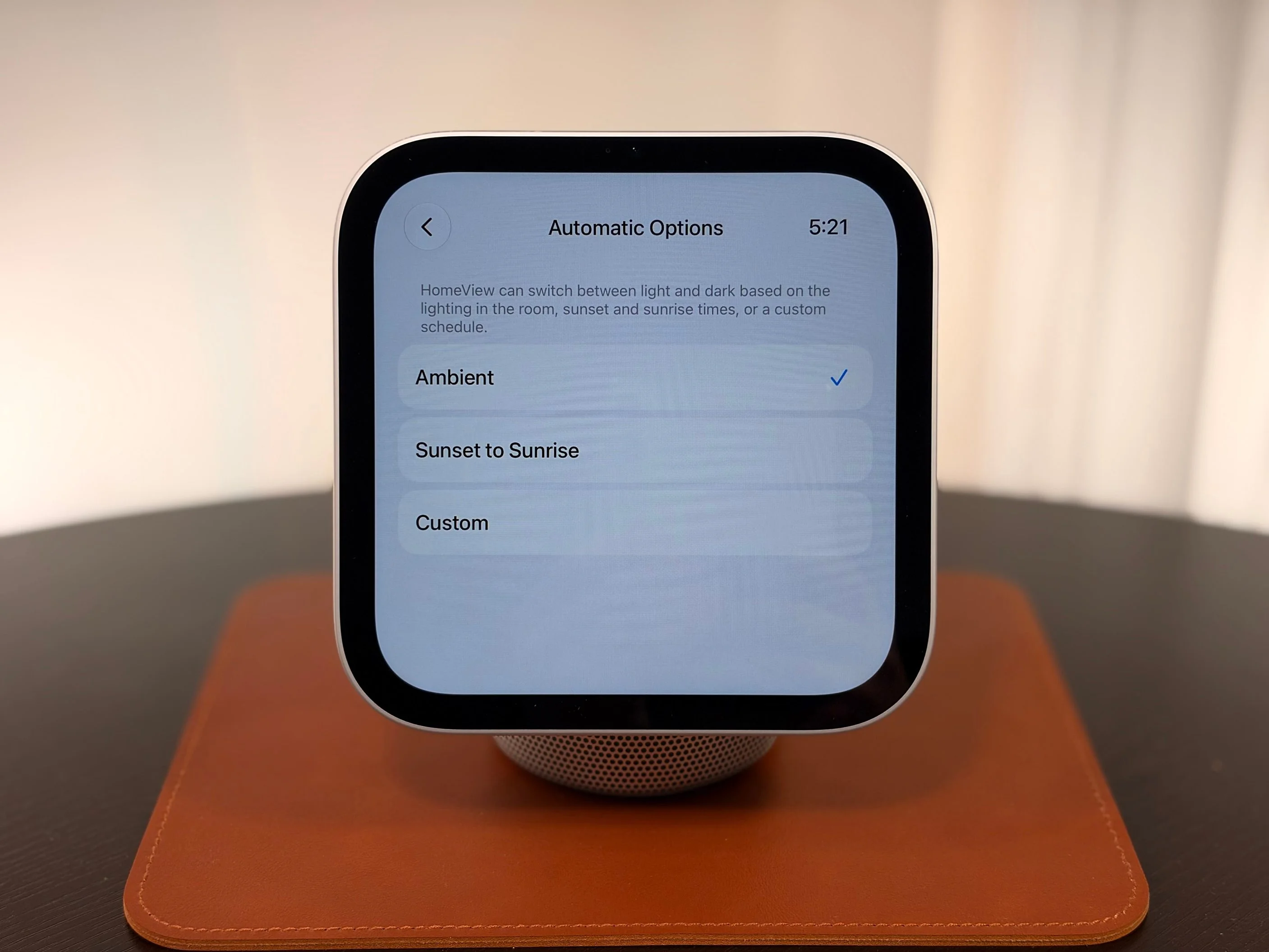
On iOS, iPadOS, and macOS, your dark mode options are limited. You can turn on automatic switching, then choose sunrise to sunset or a custom schedule. That's useful, but it's blunt. The timing is fixed, and the system ignores what's actually happening in the room.
Most people set this once and never touch it again. That means whatever default or schedule they picked on day one becomes the experience they live with for years. A setting that's rarely revisited is only as good as its assumptions, and a clock-based schedule quietly assumes that everyone's day looks roughly the same. It doesn't, and the gap between the schedule and real life is where most of the frustration lives.
Dark mode that reads the room
HomeView adds an ambient option. Once automatic dark mode is on, you still get the familiar sunrise-to-sunset and custom schedule choices, plus a third mode where the ambient light sensor decides whether the interface should be light or dark. The room sets the mode, not the clock.
That's a subtle shift in logic, and it's the right one. Instead of asking the device to predict when you'll want a dark screen, it asks the environment what's going on right now. The sensor is measuring light, which is a much more direct signal than a timestamp. Here's the thing, though: a sensor only tells you how bright the room is, not what you're doing in it. The bet is that brightness is a good enough proxy for comfort, and for most situations it probably is.
Why fixed schedules keep failing
A fixed schedule works for most people most of the time. It falls apart at the edges. Stay up late with the lights on, and macOS may still push you into dark mode when you'd rather read in light. Sleep in with the curtains closed, and at 11am your phone can still blast a bright screen the moment you open your eyes. Ambient sensing handles both cases without a settings trip.
Those edge cases aren't rare. Anyone who works irregular hours, travels across time zones, or simply keeps a loose routine has felt this mismatch. The schedule is wrong in exactly the moments you most notice it, which is why people tend to switch dark mode on and off manually instead of trusting the automation. That manual toggling is a sign the feature isn't doing its job.
Dark mode is also more than a style choice for some people. Bright screens in a dim room can be uncomfortable, and an interface that adapts to the light around it reduces the number of times you have to reach for a setting. That's a small win each time, and small wins are what separate a feature people love from one they forget exists.
Why sensors make more sense than schedules
HomeView is the first Apple platform to offer this. I'd love to see it arrive on iPhone, iPad, and Mac with OS 28 next year. Apple already has the sensing hardware in its phones and tablets, so the barrier is mostly software. That's the part that stings a little, because it means the gap is a choice rather than a technical limit.
Ambient light sensors have been a standard part of phones and tablets for a long time, which makes the sensing side far from exotic. The harder work is in the software: deciding how quickly the interface should switch, how to avoid flickering when someone walks past a lamp, and how to let the user override the call without digging through menus. (and this is the part most people overlook) Those decisions are where a sensor-based mode either feels thoughtful or feels annoying. Simple, but not trivial.
There's also a product question. A sensor-driven mode makes the schedule toggles look like a stopgap, and nobody at Apple is going to enjoy that comparison. The company has built its dark mode settings around predictable behavior, and predictable is easier to explain in a support document. Still, predictability that's wrong half the time isn't much of a feature.
What this means for you
If you're designing interfaces or building apps for Apple platforms, this is worth watching. Ambient-aware theming would change how you think about contrast, color, and testing, since the same screen could be shown in very different lighting conditions. Your dark mode assets are probably tested against a clock, not a room, and that's a gap you'll want to close before a sensor-driven option lands on your users' devices.
If you're a regular user, the practical takeaway is simpler. HomeView shows what good dark mode behavior looks like, and it's reasonable to expect the same logic to spread. What I'm not saying is that Apple has committed to any particular timeline or device list. My read is that it should spread, and that the sooner the schedule becomes the fallback rather than the default, the better the experience gets for everyone.