Streamlining Serverless Management: The New Headlamp Plugin for Knative
Headlamp emerges as an essential open-source platform for exploring and managing Kubernetes resources, offering a graphical interface that enhances the user experience in complex environments. Kubernetes, while powerful, can often be overwhelming, especially for teams grappling with the orchestration of containerized applications. Headlamp aims to simplify this process, making it more approachable without sacrificing capability.
Knative enables serverless workloads within Kubernetes by managing traffic routing, scaling, and revision handling. However, navigating the operational complexities of Knative can prove challenging. Many users find themselves toggling between various command-line tools and interfaces to understand their service statuses fully. This kind of disjointed experience can stall productivity and complicate troubleshooting efforts, leaving teams frustrated.
The introduction of the Headlamp Knative plugin seeks to address these fragmentation issues, providing a unified interface for monitoring and controlling workloads. Developed during the LFX mentorship program, this plugin aims to fulfill the needs of operators with a streamlined workflow. Let’s explore its features and what they mean for improving the day-to-day operations of Kubernetes environments in practical terms.
Mapping Knative Resources
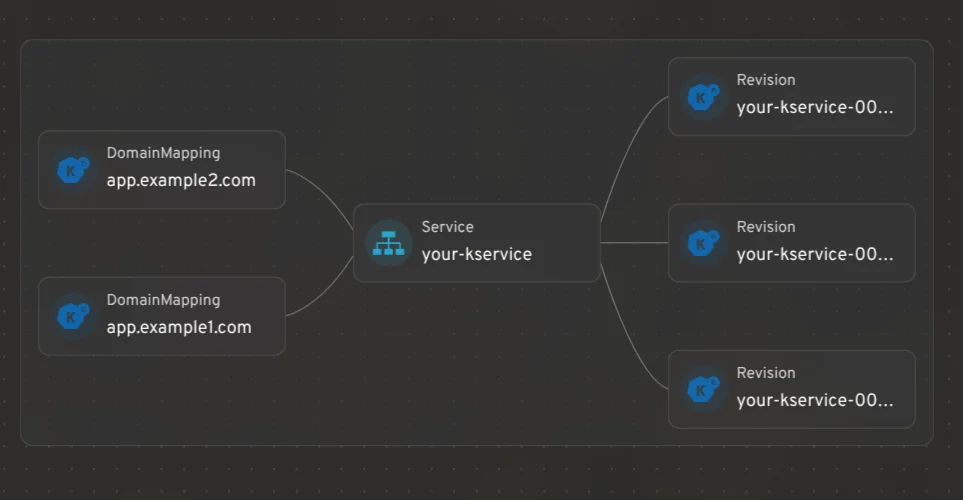
Headlamp's visualization capabilities extend to Knative CRDs, allowing users to view relationships among KServices, Revisions, and DomainMappings in a single cohesive graph. This mapping facilitates better insight into how various resources interact. Visualizing these relationships can significantly reduce time spent deciphering complex configurations, making it easier for teams to spot issues with their deployments.
Managing KServices
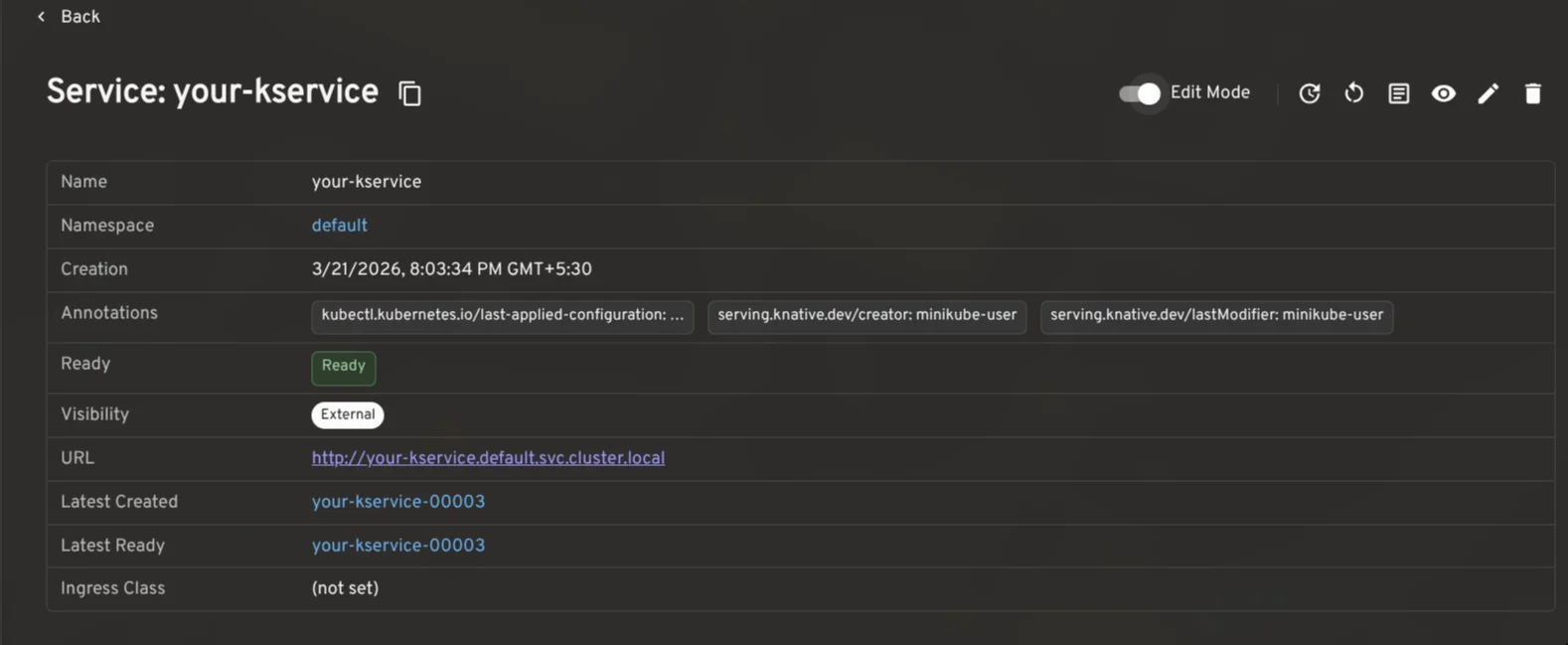
At the core of Knative is the KService, which oversees the lifecycle management of critical components like Routes and Configurations. The Headlamp plugin provides a detailed view of KServices, complete with an Edit Mode to make real-time modifications to traffic distributions, autoscale settings, and other parameters. This capability means that operators can react to real-time data, updating settings without needing to dive into complex command lines. Users can easily access the YAML configurations, logs, and necessary actions for redeployment or pod restarts, contingent on their RBAC permissions. That's a level of accessibility many teams have been clamoring for.
Traffic Splitting for Rollouts
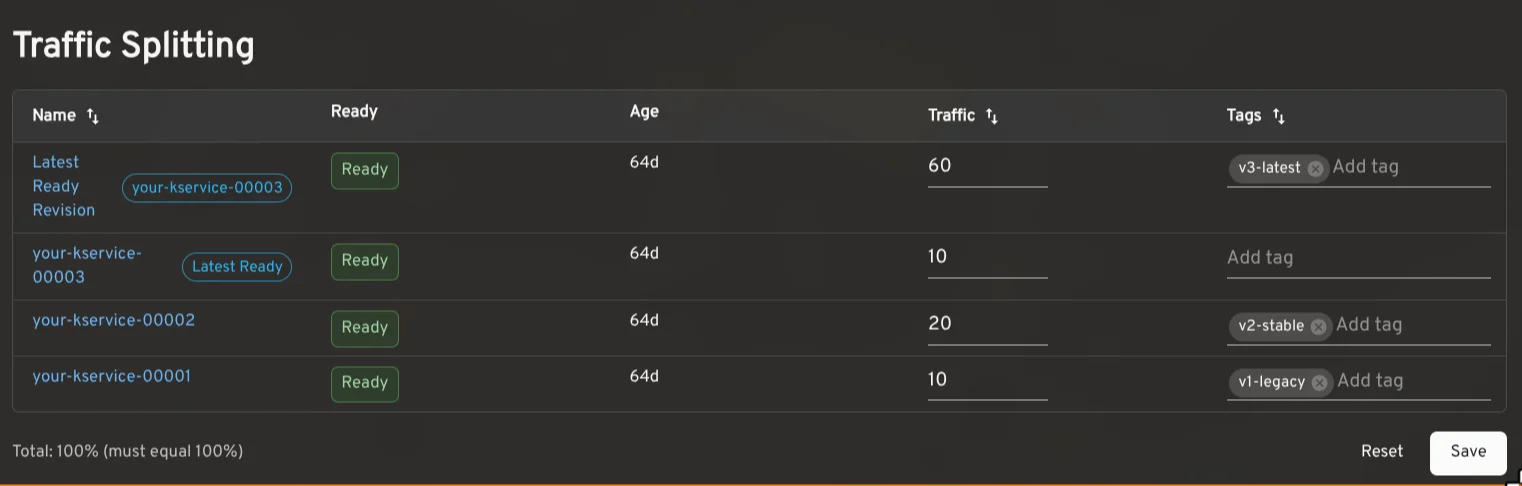
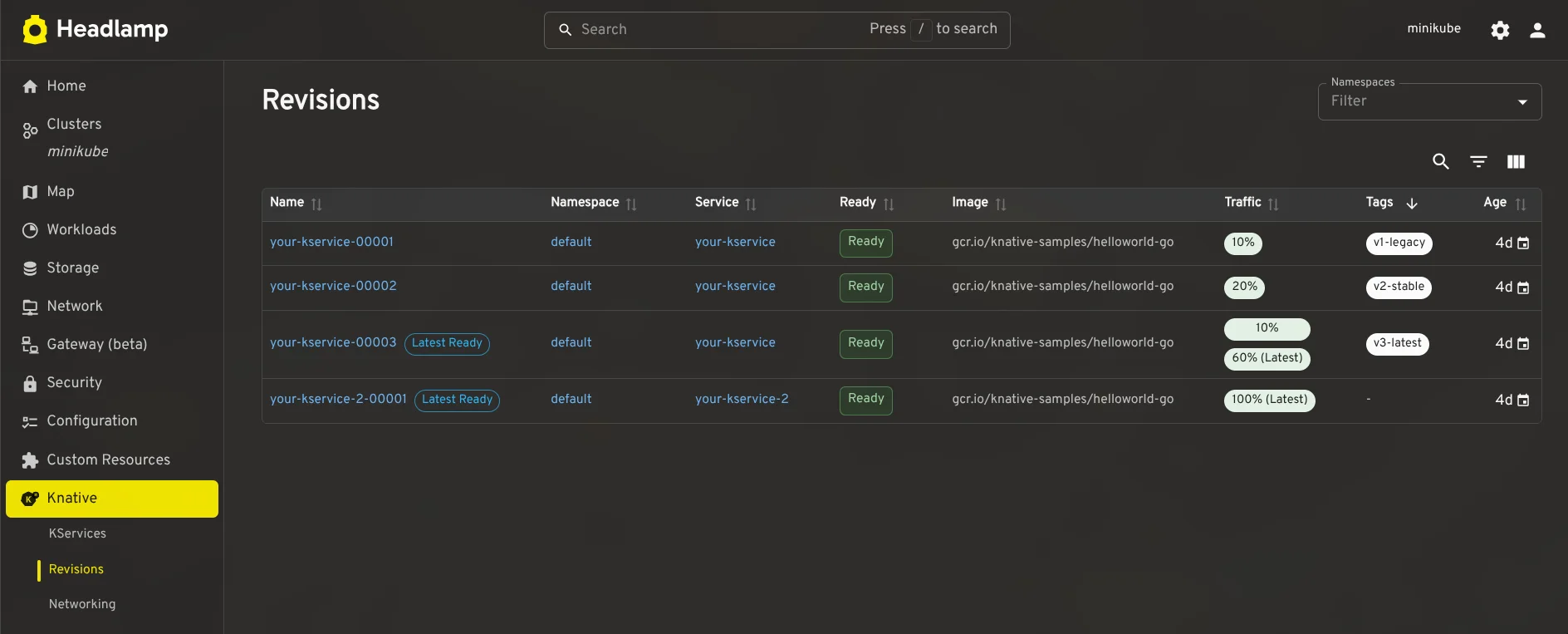
With Knative's traffic-splitting capabilities, distributing traffic across different service Revisions is straightforward. This enables practices like canary releases and A/B testing without significant overhead. The plugin displays detailed traffic distribution, including each Revision's readiness, configurations, and inline adjustment options for easier management. Users can monitor how changes affect performance and reliability in real-time, ensuring that the adjustments adhere to necessary conditions before applying them. Efficient rollout strategies become smoother and less risky with these tools.
Autoscaling Settings at a Glance
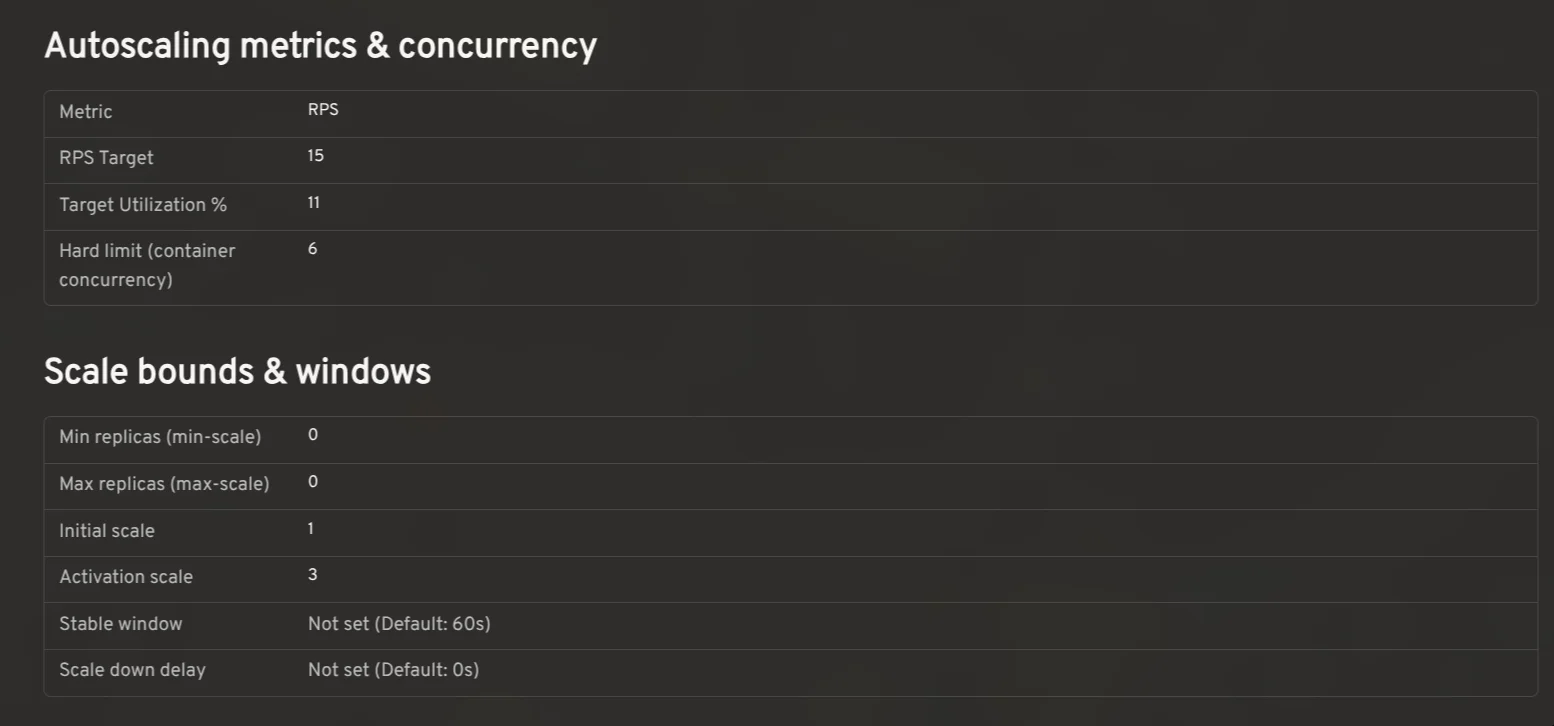
The plugin enhances the user experience by presenting the autoscaling configurations directly tied to KServices, offering insights into settings like concurrency targets and utilization rates. This is more significant than it looks; effectively managing autoscaling can make or break an application's performance during spikes in traffic. It references config-autoscaler and config-defaults to deliver a broad view of effective configurations, highlighting user-defined settings against cluster defaults. This transparency allows operators to identify potential misconfigurations quickly.
Monitoring with Prometheus
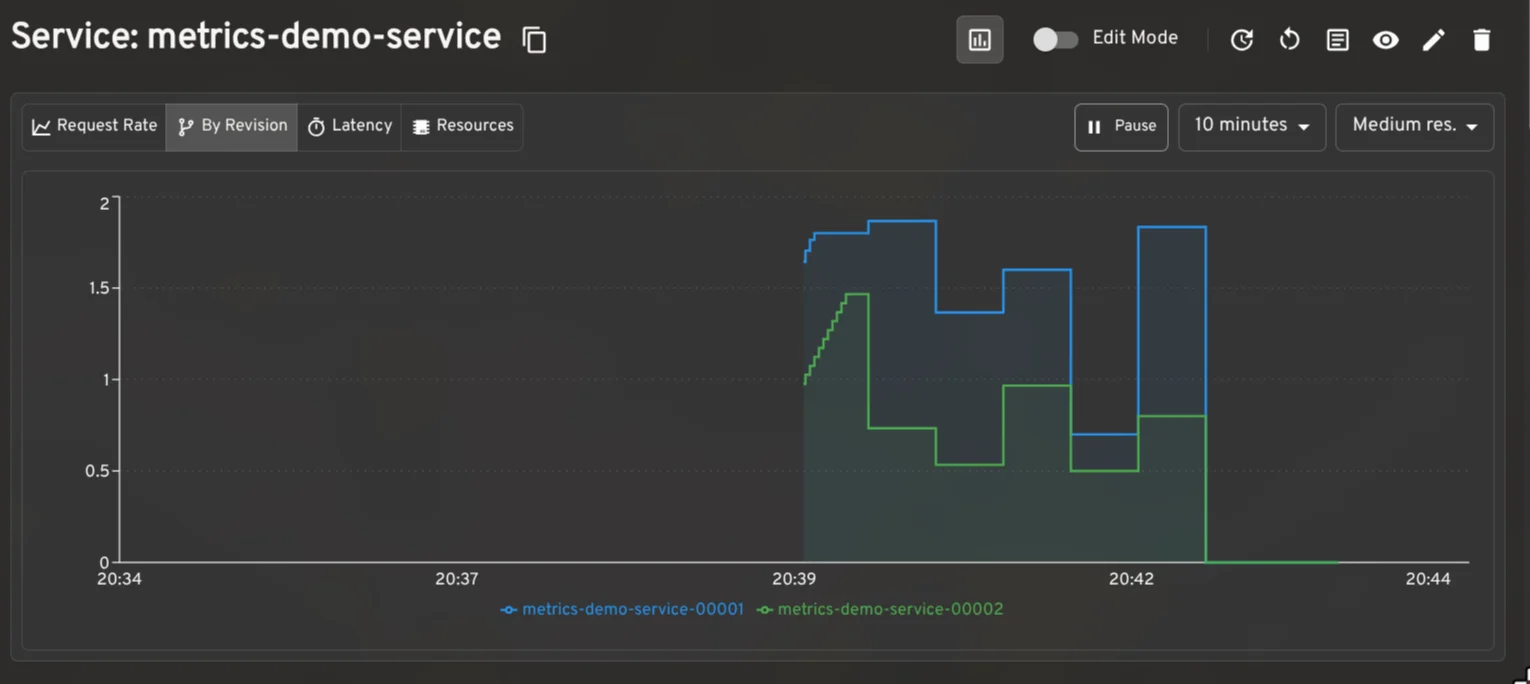
By integrating with the Prometheus plugin, users can visualize critical metrics like request rates and latency within the KService and Revision detail views. This visibility becomes especially valuable during traffic validations. Quick access to this kind of data can empower operators to make immediate adjustments, preventing potential outages or performance degradation. Metrics can tell you a lot, but only if you can access and interpret them when it matters.
Comprehensive Dashboards
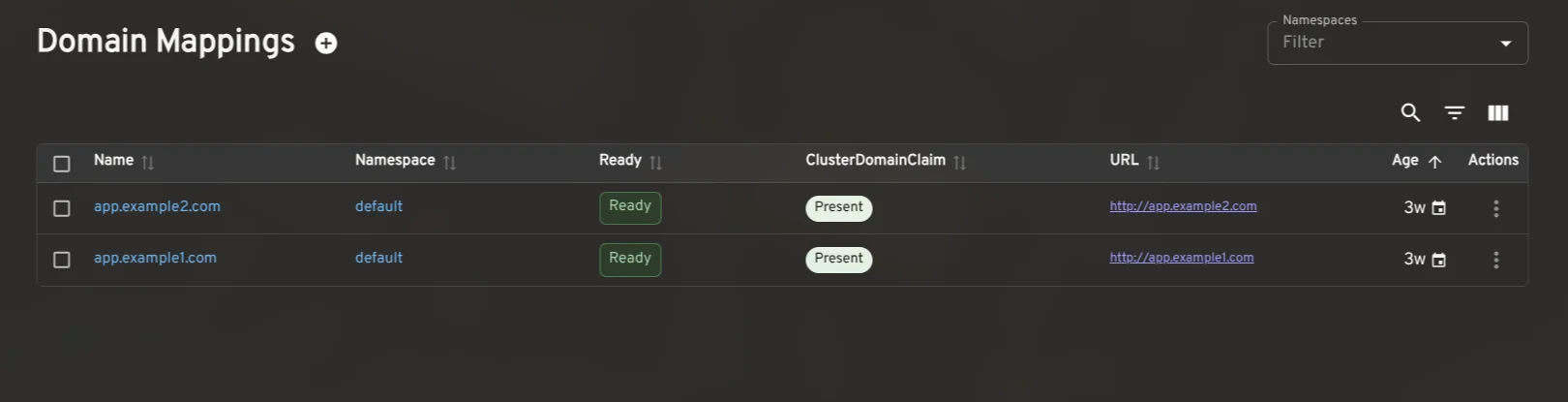
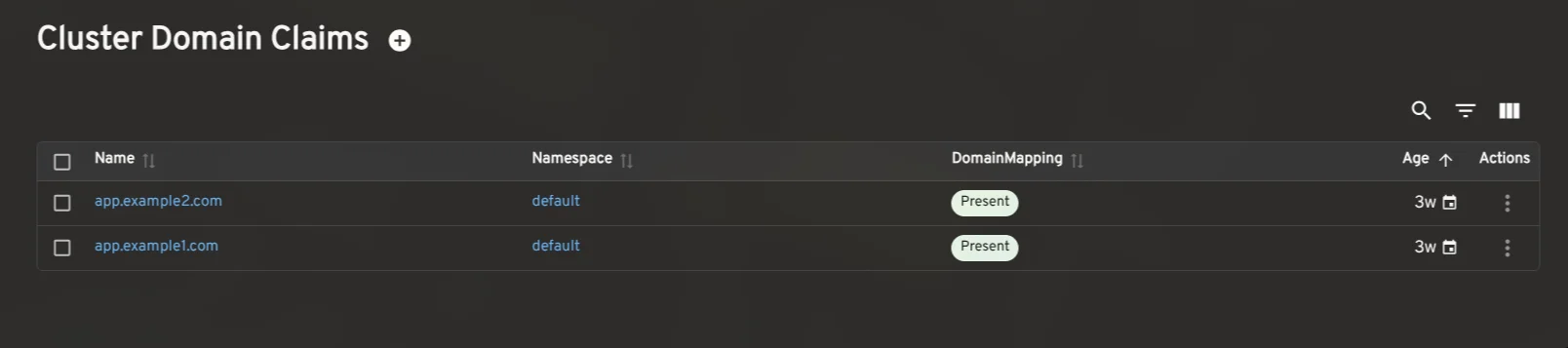
The plugin extends its capabilities to include dashboards for other custom resources, presenting complete visibility into Revisions, DomainMappings, and more. The cluster-level overview integrates essential networking configurations, allowing for holistic assessments of the Knative environment without leaving Headlamp. This kind of centralized analytics capability is a major asset for teams trying to streamline their workflows and reduce context-switching.
Installation Guide
- Ensure that Knative is installed in your Kubernetes cluster.
- Open the Plugin Catalog in Headlamp Desktop, search for Knative, then click Install.
- After the installation, refresh Headlamp to find the new Knative entry in your sidebar.
For those looking to dive deeper with the development setup, details are available in the Knative plugin README. The latest version is 0.3.0-beta.
Feedback and Support
Operator input is invaluable as we refine the plugin. If you encounter any issues or require additional features, please open an issue on GitHub. Engage with us in the Kubernetes Slack #headlamp channel to share your thoughts and join the conversation. This feedback loop can lead to improvements that will benefit everyone using the tool.
Future Implications and Significance of the Knative Plugin
The consolidation of tools and interfaces in platforms like Headlamp signals a larger industry trend towards user-centric design in cloud-native environments. If you're working in this space, you'll likely find that the pressure is on for Kubernetes management tools to simplify complex tasks. The Headlamp Knative plugin is a significant step in this direction, addressing common pain points that many teams face.
As Kubernetes adoption continues to grow, the demand for tools that streamline workflows and improve usability will only increase. Projects like Headlamp can lead to shorter onboarding times for new operators and more effective management strategies for existing teams. This plugin represents not only an evolution in tool design but also highlights an evolving philosophy—breaking down complex systems into manageable, user-friendly components. And who wouldn’t want that?