Enhancing Kubernetes Workload Management with Volcano and Headlamp
Volcano serves as a powerful cloud-native batch scheduler designed specifically for Kubernetes environments, making it ideal for high-performance computing tasks, as well as AI and machine learning applications. Integrating smoothly with this system, Headlamp offers an extensible web interface for Kubernetes, enhanced by a plugin system that allows it to display more than the standard Kubernetes resources. Notably, the Volcano plugin brings crucial Volcano functionalities into Headlamp, enabling users to easily inspect workload states, queue behaviors, and gang scheduling settings within a unified view.
Kubernetes is normally structured around maintaining long-running services, which can be a challenge when dealing with batch jobs that may come and go dynamically. Unlike traditional applications, batch, AI, ML, and high-performance computing workloads can contend for limited resources and often require synchronized starts of multiple workers before they can gainfully proceed. Volcano addresses these needs by adding support for scheduling concepts such as queues, priorities, and quotas, stepping beyond the isolated management of individual Pods to consider jobs as integrated units requiring specific resources.
Enhanced Visualization for Workflow Efficiency
Navigating through the various resources in Volcano can often involve checking multiple elements to grasp the overall status of a batch workload. Users might move back and forth between Jobs, PodGroups, and Queues, leading to a fragmented experience with standard CLI tools like kubectl and the Volcano CLI. The Headlamp Volcano plugin streamlines this interaction by gathering all key resources under one roof, allowing intuitive transitions between Jobs, Queues, PodGroups, and related events.
Volcano introduces several core components that extend native Kubernetes resources:
- Job
- Defines a batch workload, outlining tasks and their corresponding Pods.
- Queue
- Manages cluster resources, allocating capacities among different teams and workloads based on priorities and quotas.
- PodGroup
- Groups Pods to aid the scheduler in gang scheduling as a collective unit.
In Headlamp, users can view these resource types through dedicated interfaces within a Volcano section, maximizing accessibility and understanding.
Jobs: Key Workload Insights
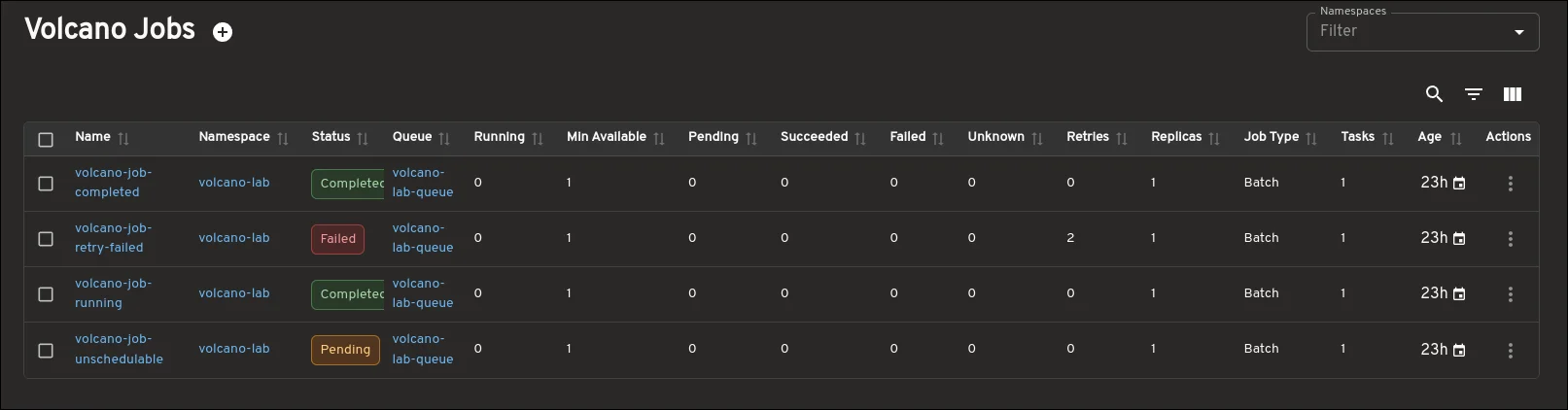
The Job view forms the core of the plugin’s functionality. Here, users can quickly assess essential aspects of their workloads, including status, queue affiliation, current availability, task counts, and age metrics.
The detailed view offers comprehensive data needed for troubleshooting, showing task specifics, Pod states, related Queues and PodGroups, conditions, and events all in one spot. This consolidated presentation eliminates the need to execute multiple commands via the CLI, enriching the user experience significantly.
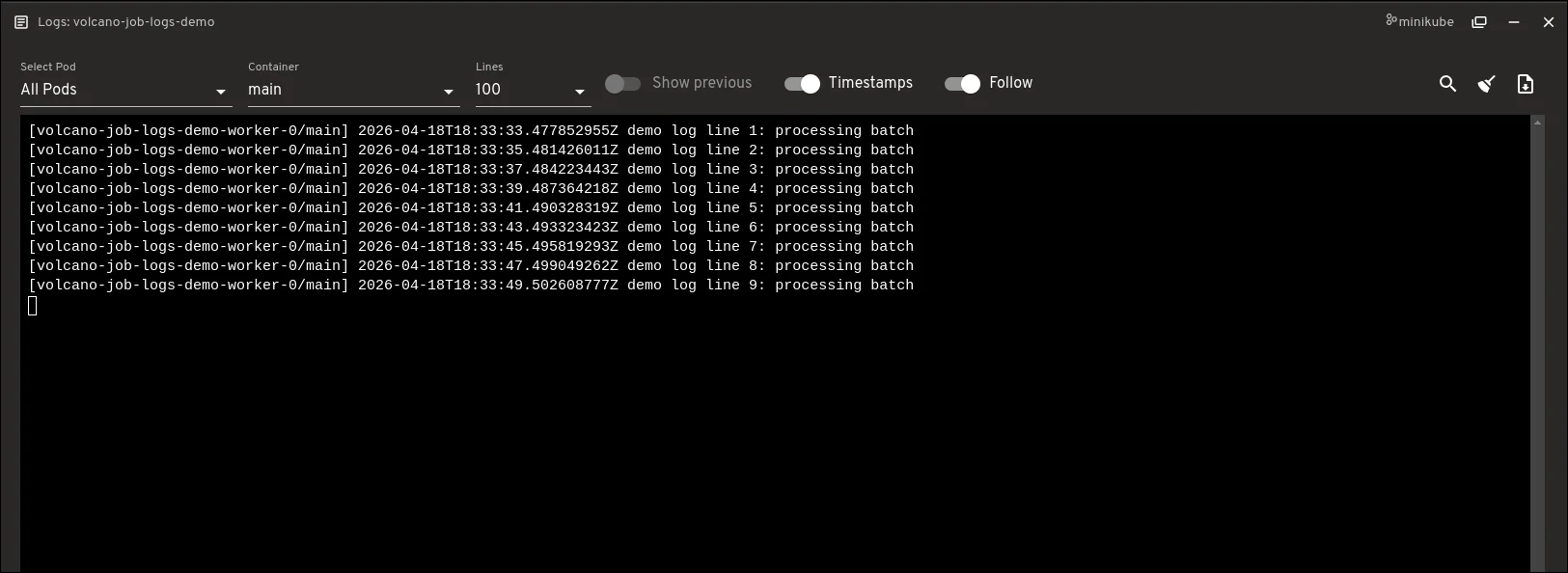
Additionally, users can manage Jobs directly from this UI. With lifecycle actions such as Suspend and Resume, it’s easier than ever to manipulate workloads. Direct log access allows for real-time monitoring of Pods spawned by a Volcano Job without navigating away from the Job detail screen, providing options like single-Pod or all-Pods views, alongside common log controls.
Queues: Insight into Resource Allocation
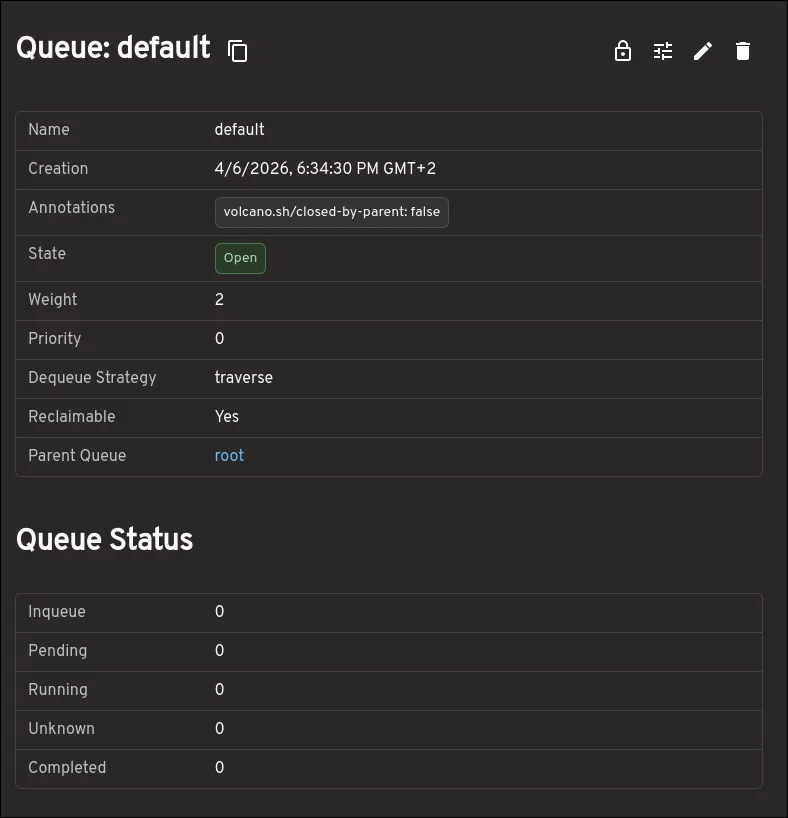
The Queue view is designed to offer an in-depth understanding of how resources are allocated across the cluster. It provides visibility into resource capacities, allocations, guaranteed resources, and more, facilitating a more detailed approach to resource management compared to merely observing surface-level queue information.
PodGroups: Insights into Gang Scheduling
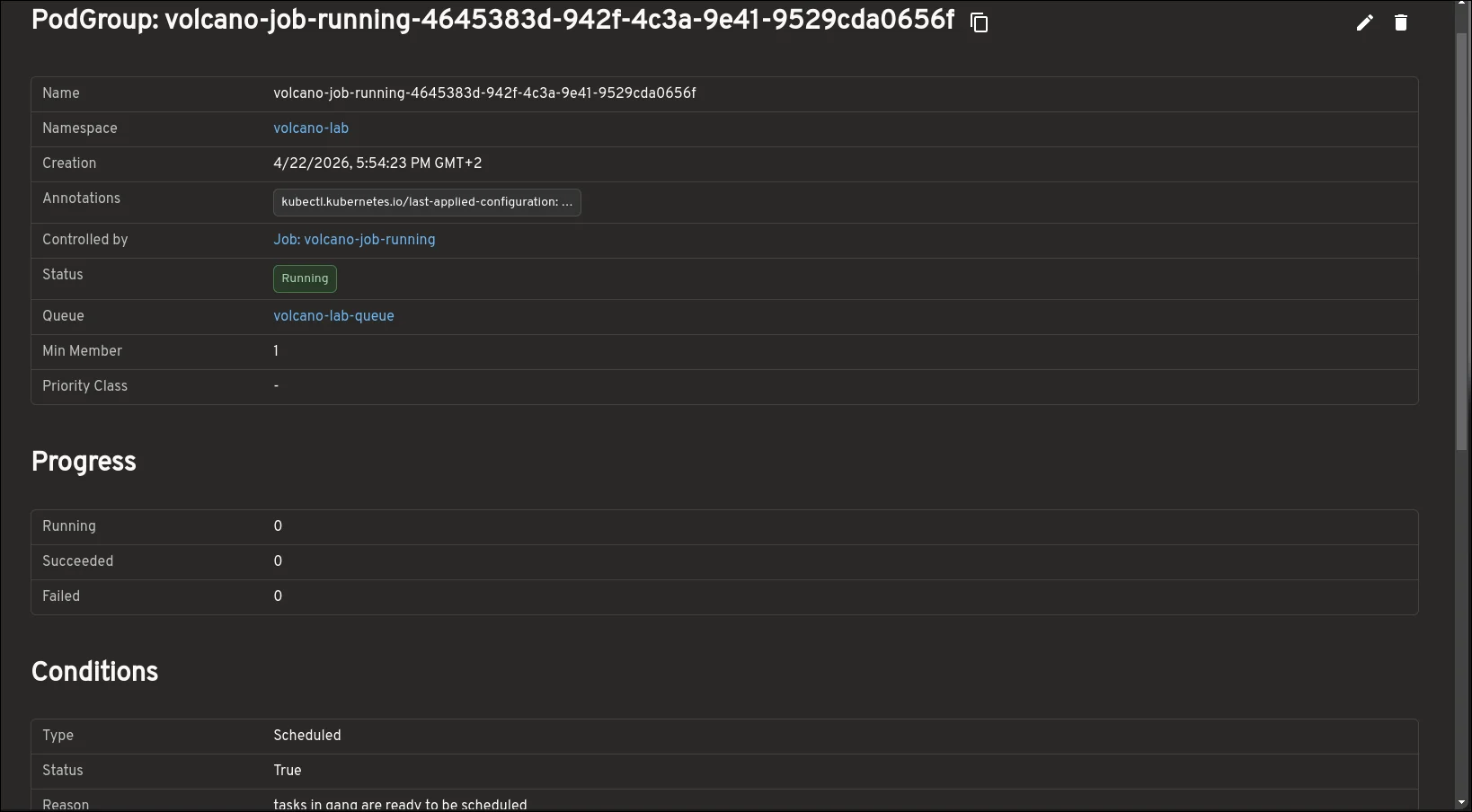
Understanding PodGroups is key to grasping the dynamics of gang scheduling within Volcano. The plugin exposes valuable metrics like progress, conditions, and resource requirements, providing a clearer perspective on potential scheduling blockers that could delay workload execution.
Map View: Comprehensive Resource Relationships
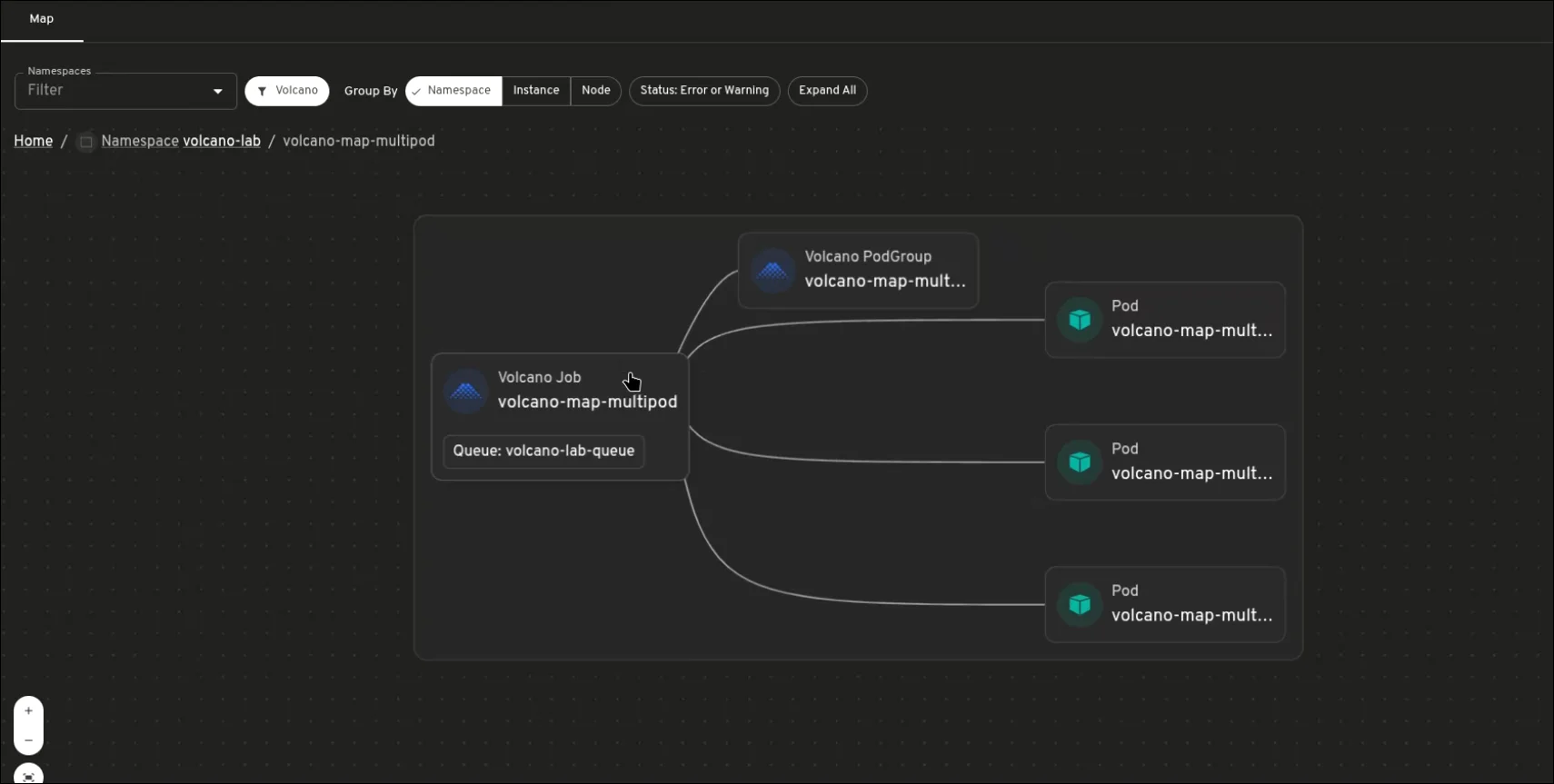
The map view offers a visual representation of how Volcano resources are interconnected, making it simpler to identify relationships among Jobs, PodGroups, Queues, and Pods as a cohesive unit. This is particularly beneficial when diagnosing why workloads are stalled or not progressing as anticipated, highlighting dependencies and alerting the user to areas that may require intervention.
Integrating with CLI Tools for Enhanced Functionality
It’s important to clarify that this plugin doesn’t aim to replace kubectl and the Volcano CLI, which remain crucial for automation, scripting, and in-depth resource inspection. Instead, it refines the troubleshooting process by streamlining the discovery of related resources, improving the navigation of detail pages, and allowing for fluid movement from scheduling to operational outputs without excessive tool-switching.
Future Enhancements
This integration takes a significant step toward bringing Volcano’s operational flow into Headlamp. Future developments may include Prometheus for metrics, enhanced scheduling insights, and more user-centric workflow visibility across workloads.
Installation and Feedback
To try the Volcano plugin, follow these steps:
- Install Headlamp.
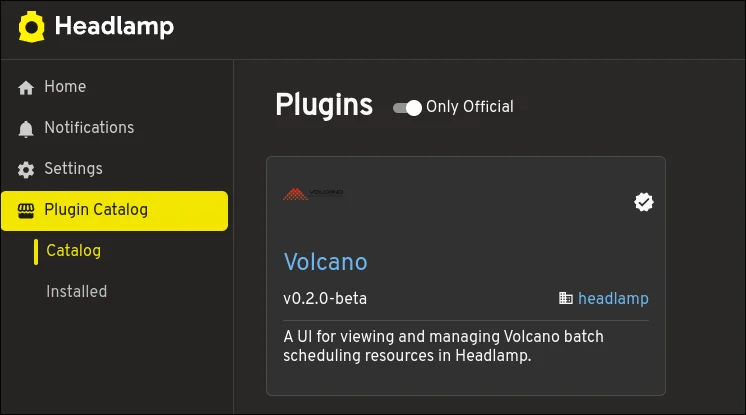
- Access the Plugin Catalog within the Headlamp UI.
- Search for Volcano.
- Install the Volcano plugin.
- Link Headlamp to an existing Kubernetes cluster with Volcano installed.
For suggestions, feature requests, or bug reports, visit the Headlamp plugins repository. User feedback is invaluable for shaping future improvements.